
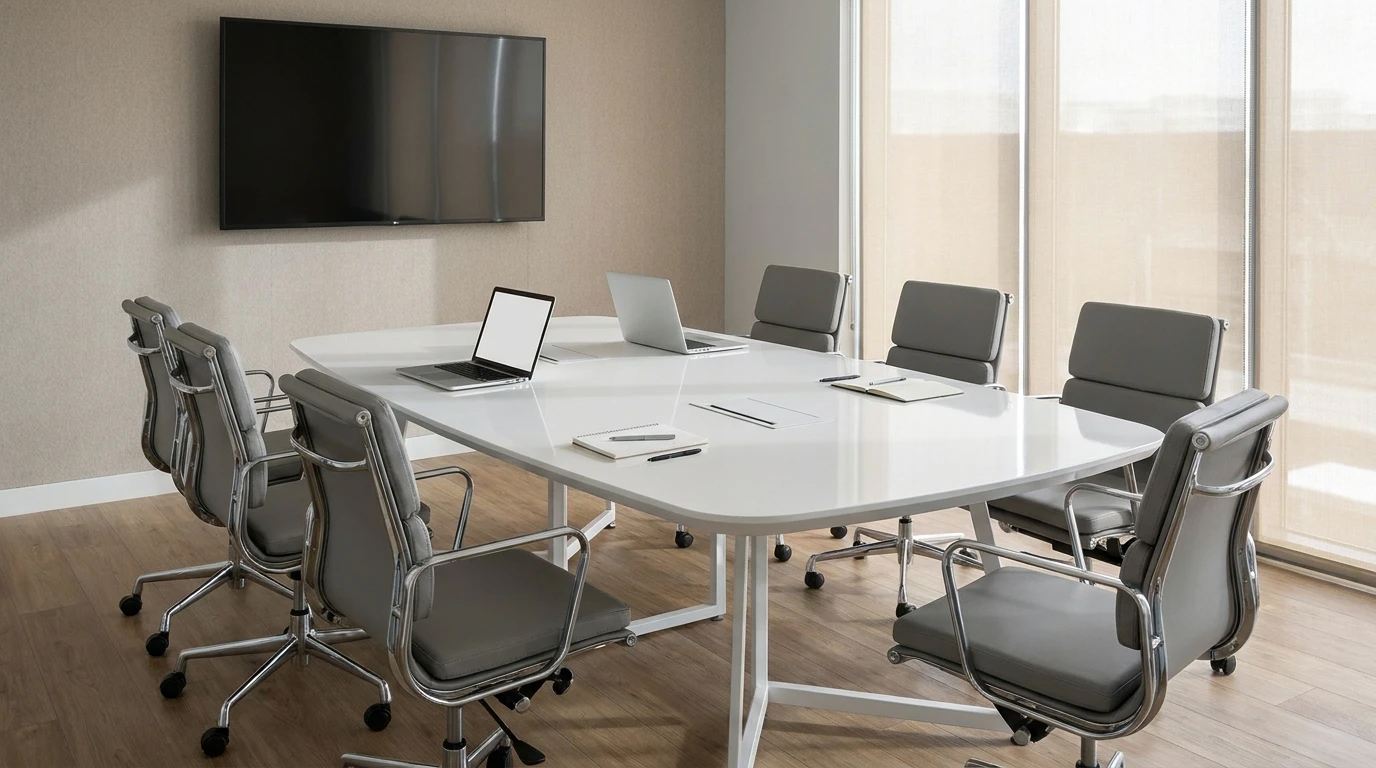
ergonomic principles in choosing a conference table; Proportion of dimensions, access and layout
Know the principles of ergonomics in choosing a conference table; From table and chair fit and legroom to access to equipment and walkways, along with a pre-order checklist.
How to coordinate the conference table with the needs of the users and the meeting space?
A conference table may be in harmony with your office in terms of appearance, but its problems become apparent when using it: the chair handle does not fit under the screen, the table base is against people's knees, or they need to turn their body frequently to see the screen. These details cannot be evaluated only from the product photo.
Ergonomics in choosing a conference tablemeans checking the fit of the table with the users, meeting activities and surroundings. In this view, the table is not evaluated alone; Seats, equipment, travel routes and usage patterns are also part of the decision. This guide focuses on practical selection criteria and is not a substitute for professional evaluation of the workplace.
1. Specify the type of use before the dimensions
The need for a short conversation-oriented meeting is not the same as a meeting where everyone has laptops, notebooks, and documents. Before determining the size of the table, determine what activity is most often done in the room and what is the typical number of participants.
- Dialogue session:People's view of each other and the ease of interaction are important.
- Session with presentation:The orientation of the screen should be checked.
- Group work with documents:Useful level required for opening files and taking notes.
- In-person and online combined session:The location of the camera, microphone and communication equipment also affects the arrangement.
The number of chairs that fit around the table alone does not show its practical capacity. To determine the capacity, you must also consider the space of equipment and the possibility of movement of users.
2. Check the height of the table and chair together
The height of the table should not be chosen separately from the chair. When sitting, the user should be able to access the work surface without having to keep their shoulders up or bend continuously to write or work with the laptop.
The seat's adjustability is helpful, but it doesn't make up for every misalignment. If the chair is raised too high to reach the level of the table, the position of the legs should also be rechecked. Also, the chair handle may collide with the edge or structure under the table and limit approaching the table.
If possible, try the table sample with the same selected chair model. Experiment with sitting, writing, working with a laptop, and standing up; Not just the appearance of the table and chair combination.
3. The space under the table is part of its real capacity
The dimensions of the page only show part of the necessary information. Stands, under-panel coils, cable trays and installed equipment may restrict knee and leg room. For this reason, checking the infrastructure map is as important as seeing the view on the table.
- Specify the location of the legs relative to each seat.
- Check the space under the screen for contact with the knees and the seat handle.
- Ensure that cable management equipment does not come within the range of users' feet.
- Also evaluate the chairs at the end of the table separately.
A table may be long enough for several chairs, but the placement of the legs makes it difficult to use some seats comfortably.Determine capacity based on usable seats, not just stackable seats.
4. Measure the useful level and range of access
More width does not always mean better performance. If common devices or ports are out of reach, users may have to reach across the table or stand up to use them.
On a simple map, mark the location of laptops, desks, glasses and common equipment. Then see if each person has enough space for their usual activity and if frequently used items are available. Subtract the display stand or fixed equipment from the useful surface of the table.
The electrical and communication ports should also be compatible with the seating area. Leave the electrical installation and cabling to an expert and keep the cables away from the range of people's foot movement and passage.
5. Coordinate the table form with the meeting template
rectangular table
This form can be compatible with elongated rooms and linear layout. However, people's view of the screen and the position of the end seats should be checked; Especially when the display is installed on one of the short walls.
round or oval table
These forms should also be evaluated in the actual room map. The absence of a sharp corner alone is not a sign of a better fit with the space. The overall dimensions, the distance of people from common devices and the path behind the seats are still important.
No particular form is best for all meetings. The right choice depends on the number of users, the dimensions of the room and how they interact.
6. Check the aisle with seats in use
One of the common mistakes is to measure the passage space when all the chairs are completely under the table. In actual use, the seats recline and people should be able to sit down, stand up, and pass each other.
Mark the area of the table with paper tape on the floor and arrange the chairs in the position of use. Try opening the door to the room, accessing the closet, and moving around the monitor. The needs of users with limited mobility should also be taken into account from the beginning of the design; To determine the dimensions of accessibility, base the relevant project requirements and expert opinion.
7. Don't ignore light reflection and surface features
The color and appearance of the page are not the only selection criteria. Test the surface under real light or near meeting room conditions and see if reflections from lights and windows are annoying to users. The position of the display and the ability to control the light of the window are also important.
For stone conference table, material, thickness, weight, substructure and installation details must be specified. The general title "Stone" does not imply scratch, stain, heat or detergent resistance. Get these features and maintenance method for the same product from the manufacturer.
Frequently Asked Questions
Is a certain height suitable for all conference tables?
The choice should be made according to users, seats and type of activity. Checking the suitability of the table and chair set is more practical than relying on a single number.
How is the capacity of the conference table determined?
by checking the space of each person, the equipment on the table, the place of the bases and the possibility of simultaneous use; Not just screen length or number of seats.
Is a bigger table a better choice?
Not necessarily. A large table may limit the passageway or make it difficult to access common items.
What information is needed to choose a stone conference table?
Get dimensions, surface specifications, weight, infrastructure, shipping and installation conditions and maintenance instructions for the same model.
Summary: Evaluate the table in real use conditions
The right choice is the result of coordination between work surface, seat, leg space, equipment and commuting route. Before ordering, check the room map and the actual layout of the users. Amitis produces conference tables made of Amitis stone; To check the possibility of implementing a design suitable for your space, prepare the dimensions of the room, the number of users and equipment needs, and get information about the specifications and installation conditions.
Share: What do you think?
We respect and appreciate your thoughts and opinions, and look forward to your responses